

Obsidian Metadata
Synthetic Data
When to use it
- Bootstrapping Error Analysis before you have enough production traffic (“even with zero users”).
- Testing a known failure that is rare in real data.
- Filling gaps in under-represented query types when you also have real data.
“LLMs are surprisingly good at generating excellent — and diverse — examples of user prompts… If this sounds a bit like the Large Language Snake is eating its tail, I was just as surprised as you! All I can say is: it works, ship it.” — Bryan Bischof (Hex)
Limitations: synthetic data can’t tell you how common a failure is in production, and it can miss domain details. Compare against real data as soon as you have it. See When synthetic data is unreliable.
The method: dimensions → tuples → queries
Anti-pattern
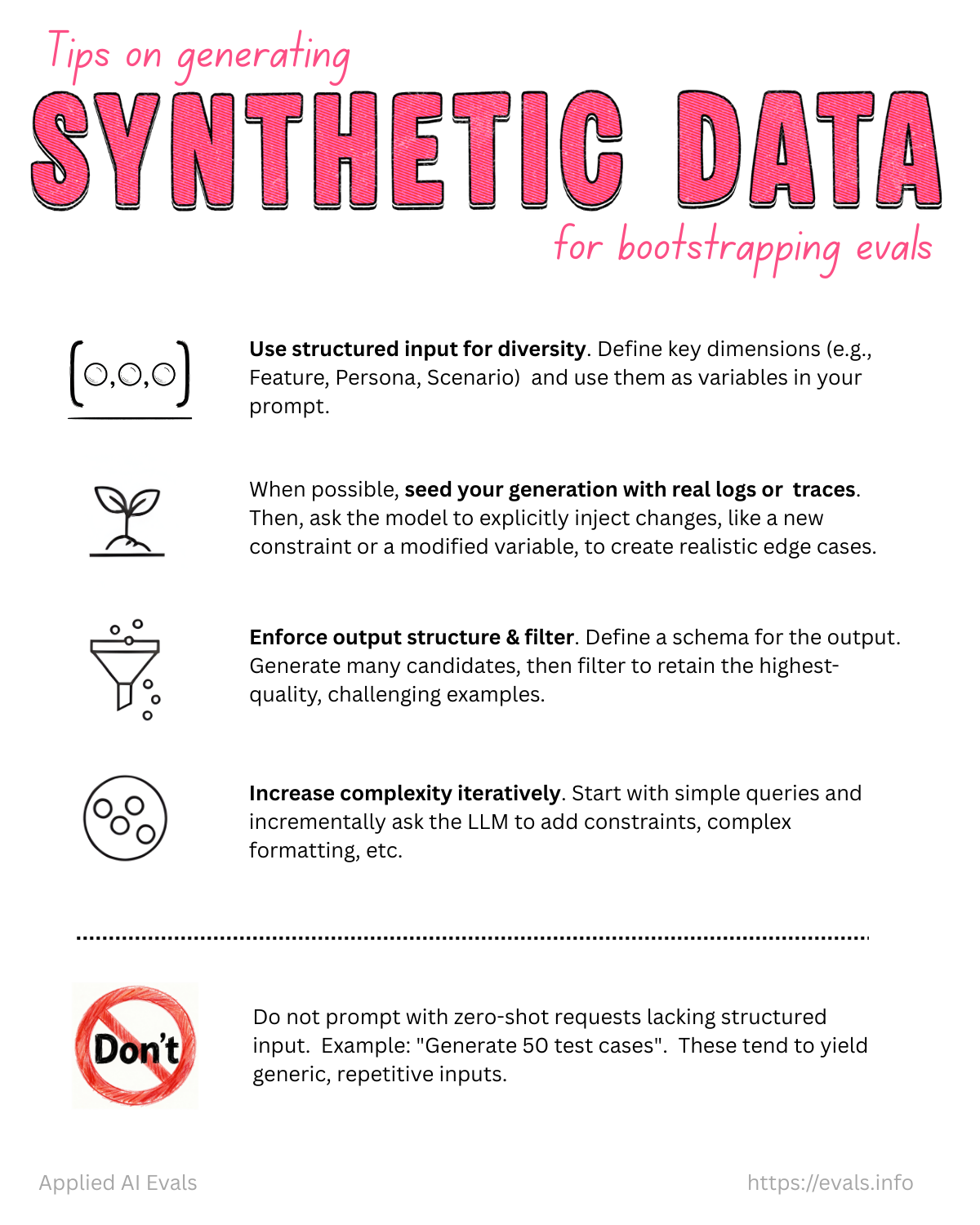
Prompting “give me test queries” (or “give me 50 test queries”) without structure produces generic, repetitive, happy-path examples.
1. Start with failure hypotheses
If you lack intuition, use the app heavily or have friends use it. Choose dimensions that target likely failures, not arbitrary variation.
2. Define dimensions
Each dimension captures one type of variation. Start with ~3.
- Recipe app: Dietary Restriction (vegan, gluten-free, none) × Cuisine (Italian, Asian, comfort food) × Query Complexity (simple, multi-step, edge case)
- Support bot: Issue Type (billing, technical, general) × Customer Mood (frustrated, neutral, happy) × Prior Context (new, follow-up, resolved)
- A common B2C default: Features × Scenarios × Personas
features  = ["property search", "market analysis", "scheduling", "follow-up"]
scenarios = ["exact match", "multiple matches", "no matches", "invalid criteria"]
personas  = ["first_time_buyer", "investor", "luxury_client", "relocating_family"]
Scenario ideas (support-bot flavor): Multiple matches found · No matches found · Ambiguous request · Invalid data provided · System errors · Incomplete information · Unsupported feature. Persona ideas: New user · Expert user · Non-native speaker · Busy professional · Technophobe · Elderly user.
The taxonomy isn’t universal. For example, drop personas if users don’t talk to the AI directly.
3. Write ~20 tuples by hand
Each tuple takes one value per dimension, e.g. (Vegan, Italian, Multi-step). Doing this manually teaches you the problem space. With a domain expert, iterate until the tuples look realistic.
4. Scale with two-step generation
- LLM generates more tuples, e.g. (Gluten-free, Asian, Simple).
- A separate prompt turns each tuple into a natural-language query. Keeping these separate avoids repetitive phrasing. (Vegan, Italian, Multi-step) becomes “I need a dairy-free lasagna recipe that I can prep the day before.”
Two ways to generate tuples:
| Method | How | Use when |
|---|---|---|
| Cross product, then filter | Enumerate all combos, then an LLM filters out invalid ones | Most combos are valid. Guarantees coverage including edge cases |
| Direct LLM generation | Ask the LLM for tuples | Many combos are invalid. More realistic, but tends toward generic and misses rare cases |
5. Filter for quality
Discard queries that are awkward, don’t match the tuple, or are near-duplicates. Optionally have an LLM rate realism 1–5 and drop anything below 3.
6. Run through the real system and capture full traces
Generate only user inputs, never expected outputs. That keeps the generating model’s biases out of your ground truth. Feed the inputs into the real pipeline, log everything, and aim for ~100 diverse traces for error analysis.
Don’t generate data for things you can just fix
If the prompt doesn’t mention dietary restrictions, fix the prompt rather than generating specialized test queries.
Grounding in real system constraints (Rechat)
Synthetic queries must actually trigger the intended scenario:
- Maintain a test database with enough variety for your scenarios (or an anonymized copy of prod).
- Verify coverage. A “no matches” query should return zero results when run.
- Use real IDs, addresses, schedules, business rules, and market details.
- With no prod DB, generate synthetic underlying data too (listings with realistic prices and real street names).
def generate_search_query(scenario, persona, listing_db):
    sample_listings = listing_db.get_sample_listings(
        price_range=persona.price_range, location=persona.preferred_areas)
    if scenario == "multiple_matches" and len(sample_listings) < 2:
        raise ValueError("Need multiple listings for this scenario")
    if scenario == "no_matches" and len(sample_listings) > 0:
        raise ValueError("Found matches when testing no-match scenario")
    prompt = f"""You are an expert real estate agent ... Customer type: {persona.description}
    Scenario: {scenario}. Use these actual listings as reference: {format_listings(sample_listings)} ..."""
    return generate_with_llm(prompt)
Guidelines (Field Guide)
- Diversify across features, scenarios, and personas.
- Generate inputs, not outputs.
- Incorporate real system constraints.
- Verify scenario coverage.
- Start simple, then add complexity.
What begins as a stopgap often becomes permanent eval infrastructure, even after real data arrives.
When synthetic data is unreliable
- Complex domain-specific content (legal filings, medical records, technical forms), where LLMs miss structure and quirks.
- Low-resource languages or dialects, where samples are unrealistic.
- When realism can’t be validated (no ground truth, or the domain is too complex).
- High-stakes domains (medicine, law, emergency response), where subtle edge cases are missed and errors are costly.
- Under-represented user groups, where LLMs can misrepresent context and reinforce training-data biases.
For sensitive-data situations, synthetic data is the last resort (see Evals with Sensitive Data).
Related
Error Analysis · Synthetic Data Prompts · Trace Sampling Strategies · RAG Evaluation (synthetic QA pairs)