

Obsidian Metadata
LLM-as-Judge
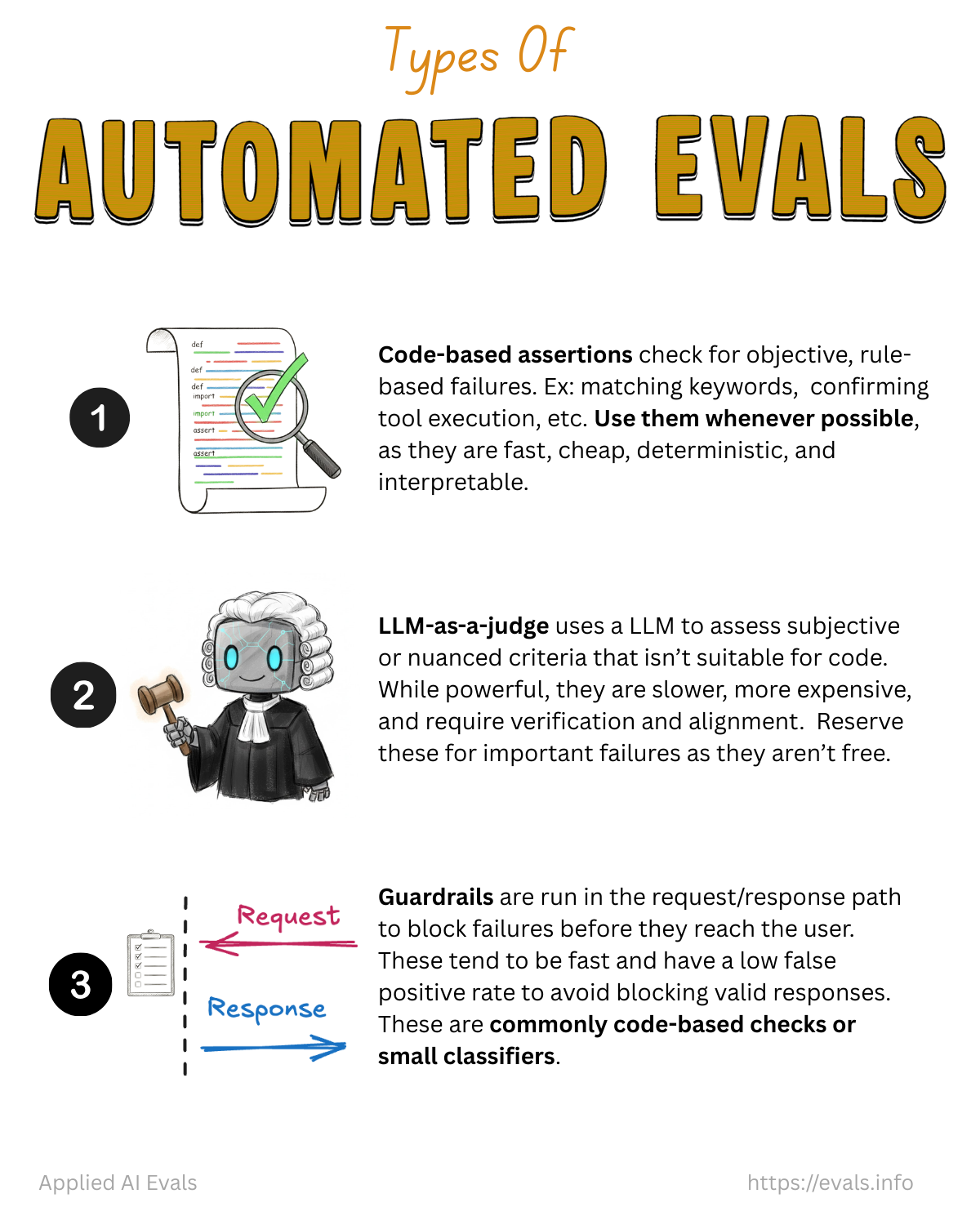
An LLM judge uses an LLM to assess subjective or nuanced criteria that code can’t check. The recommended framing is to treat it as a binary classifier: it returns Pass or Fail for one specific failure mode, and you validate it the way you’d validate any classifier (see Judge Validation).
The only way to trust an LLM judge is to measure it against human labels.
When to use a judge (and when not to)
- First ask: can code check this? See Code-Based Evals. Many “subjective” failures reduce to keywords, regex, or an API/DB lookup once you understand the domain. Example: an interview coach suggesting “general” questions can be caught by checking for “usually / typically / normally”.
- Judges are slower, more expensive, and need alignment and maintenance: 100+ labeled examples, ongoing (weekly) upkeep, and coordination between devs, PMs and domain experts. Reserve them for persistent, important failures you’ll iterate on (see When to Build an Automated Evaluator).
- If the prompt never asked for the behavior, fix the prompt first. For critical requirements, a judge can still act as a regression guard.
Anatomy of a good judge prompt
From the write-judge-prompt skill (template in Judge Prompt Template):
- Task and one evaluation criterion. “Assess whether the email uses the appropriate tone for the client’s persona”, not “Is this email good?” or “Rate 1–5”.
- Explicit Pass/Fail definitions drawn from your error-analysis failure-mode descriptions.
- Few-shot examples from the train split only: at least one clear Pass, one clear Fail, and one borderline (the most valuable). 2–4 is typical; performance plateaus after 4–8. Each example includes a detailed critique.
- Structured output with the critique before the verdict, enforced with provider schemas (
response_format, tool definitions, Instructor, Outlines):{"critique": "detailed assessment citing evidence", "result": "Pass | Fail"} - Include the same context the human used to judge: user metadata, system info, retrieved docs. Missing external context is a top mistake.
- Give the judge a way out: allow “Unknown” / insufficient information to reduce hallucinated verdicts (from Anthropic).
Real example: Honeycomb Query Assistant judge
You are a Honeycomb query evaluator with advanced capabilities to judge if a query is good or not.
You understand the nuances of the Honeycomb query language, including what is likely to be
most useful from an analytics perspective.

Here is information about the Honeycomb query language:
{{query_language_info}}

Here are some guidelines for evaluating queries:
{{guidelines}}

Example evaluations:
<examples>
<example-1>
<nlq>show me traces where ip is 10.0.2.90</nlq>
<query>{"breakdowns": ["trace.trace_id"], "calculations": [{"op": "COUNT"}],
        "filters": [{"column": "net.host.ip", "op": "=", "value": "10.0.2.90"}]}</query>
<critique>{"critique": "The query correctly filters for traces with an IP address of 10.0.2.90
 and counts the occurrences of those traces, grouped by trace.trace_id. The response is good as
 it meets the requirement of showing traces from a specific IP address without additional
 complexities.", "outcome": "good"}</critique>
</example-1>
<example-2>
<nlq>show me slowest trace</nlq>
<query>{"calculations": [{"column": "duration_ms", "op": "MAX"}],
        "orders": [{"column": "duration_ms", "op": "MAX", "order": "descending"}], "limit": 1}</query>
<critique>{"critique": "While the query attempts to find the slowest trace using MAX(duration_ms)
 and ordering correctly, it fails to group by trace.trace_id. Without this grouping, the query
 only shows the MAX(duration_ms) measurement over time, not the actual slowest trace.",
 "outcome": "bad"}</critique>
</example-2>
...
</examples>

For the following query, first write a detailed critique explaining your reasoning,
then provide a pass/fail judgment in the same format as above.
<nlq>{{user_input}}</nlq>
<query>{{generated_query}}</query>
<critique>
Advanced: choose few-shot examples dynamically based on the item being judged (continual in-context learning, as in the Dosu/LangSmith example).
Design rules
- One failure mode per judge. The most common mistake is asking one judge to catch many kinds of errors. Separate, focused judges are easier to align and more actionable (“Did it escalate to a human when required?” rather than “overall conversation quality”).
- No vague criteria like “is this helpful?”
- Give each judge only the context it needs (see Judge Context and Context Rot).
| Failure mode | What the judge needs |
|---|---|
| Tone mismatch | Client persona + generated email |
| Answer faithfulness | Retrieved context + generated answer |
| SQL correctness | User query + generated SQL + schema |
| Instruction following | System-prompt rules + response |
| Tool-call justification | Conversation history + tool call + tool result |
Model selection
- Start with the most capable model you can afford so prompt development is easier, then try smaller or cheaper models and measure the accuracy you lose.
- Using the same model as the application is usually fine. The judge is doing a different, narrower task. Self-bias exists (see Source - Play Favorites Self-Bias), but what matters is measured alignment with humans on a held-out set. Switch models only if alignment stalls; onboarding a new provider has real org cost.
- Judges can be any classifier: an LLM, a zero-shot classifier like Jev (TypeSafe), BERT, or logistic regression. Validate all of them the same way (see Judge Validation).
- Pin exact model versions (dated snapshots) to avoid silent drift.
- Fine-tuning judges: Hamel prefers not to. He’d rather fine-tune the main model. Small fine-tuned classifiers are fine for guardrails.
Lessons from practitioners (videos)
- Micromanage with granular checklists. Copilot Chat’s judge only became reliable once it checked explicit items (“is there a test for null input? for an empty list?”). Checking items off is much easier than solving the task (Video - The Evals That Made GitHub Copilot).
- Reasoning models as judges: help most in verifiable domains (math, code; “solve first, then judge”), can overthink on creative or multi-criteria tasks, still show position, self-preference, and “superficial reflection” biases, and are too slow for guardrails. Treat thinking budget as a knob and meta-evaluate (Video - Reasoning Models and LLM-as-a-Judge).
- A higher eval score ≠ a better judge. Swapping in a stronger model raised scores, but agreement with humans didn’t change.
- Dynamic few-shot: build an example pool from user corrections and retrieve the most similar examples per item (Video - Continual In-Context Learning (Dosu, LangSmith)).
- Pin the judge model you calibrated with. Otherwise the measured TPR/TNR no longer applies (Video - How To Build AI Evals (Nova Escola)).
- Annotations must carry reasoning, or neither you nor an AI helper can diagnose false positives and negatives.
Common mistakes in judge prompts
- No critiques in examples.
- Extremely terse critiques.
- Missing external context (user metadata, system state).
- Examples that aren’t diverse.
- Dev/test examples used as few-shot (data leakage).
- Likert scales.
- A holistic judge for the whole trace.
- Skipping validation.
- Using off-the-shelf judge prompts (e.g., RAGAS-style faithfulness) without alignment. “Don’t just use prompts off the shelf.” And for guardrail libraries: always look at the prompt (see Source - Show Me The Prompt).
Using judges in production
- Mostly asynchronous / batch monitoring on sampled traffic (see CI Evals vs Production Monitoring).
- Rarely as a synchronous guardrail, because of latency, cost, and non-determinism. It’s possible in a cascade that only handles borderline cases (see Guardrails vs Evaluators).
- Correct aggregate pass rates for known judge error (see Judge Bias Correction).
Improving a judge that won’t align
See When the judge won't agree with humans.
Related
Critique Shadowing · Judge Validation · Judge Bias Correction · Code-Based Evals · Prompt Optimization